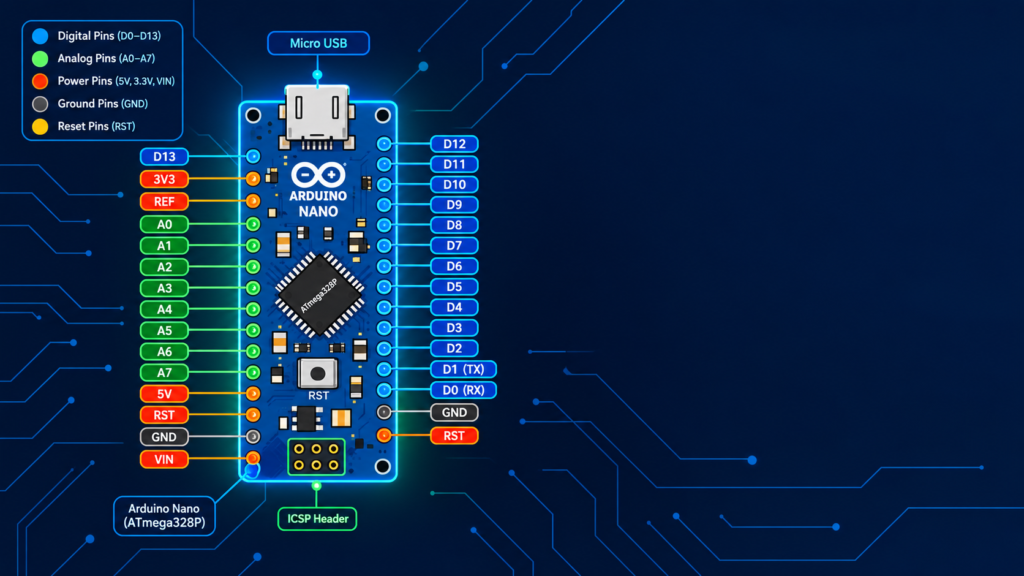
The Arduino Nano has 22 usable pins: 14 digital I/O pins (D0–D13, with 6 supporting PWM), 8 analog input pins (A0–A7), plus power pins (5V, 3.3V, VIN, GND) and communication pins for I2C, SPI, and UART. It uses the same ATmega328P microcontroller as the Arduino Uno, giving it identical processing power in a board roughly one-third the size but it has two extra analog pins (A6, A7) not available on the Uno, and it lacks a barrel power jack, instead accepting power through its Mini/Micro-USB port or the VIN pin directly.
Key takeaways
- Arduino Nano has 22 usable I/O pins: 14 digital + 8 analog (vs. Uno’s 20: 14 digital + 6 analog).
- Same ATmega328P chip and clock speed as Uno functionally identical, just smaller.
- Two extra analog-only pins (A6, A7) exist on Nano but not on Uno.
- No barrel jack powered via USB or the VIN pin (7–12V).
- Ideal for breadboard prototyping and space-constrained projects.
Arduino Nano pin diagram (labeled)
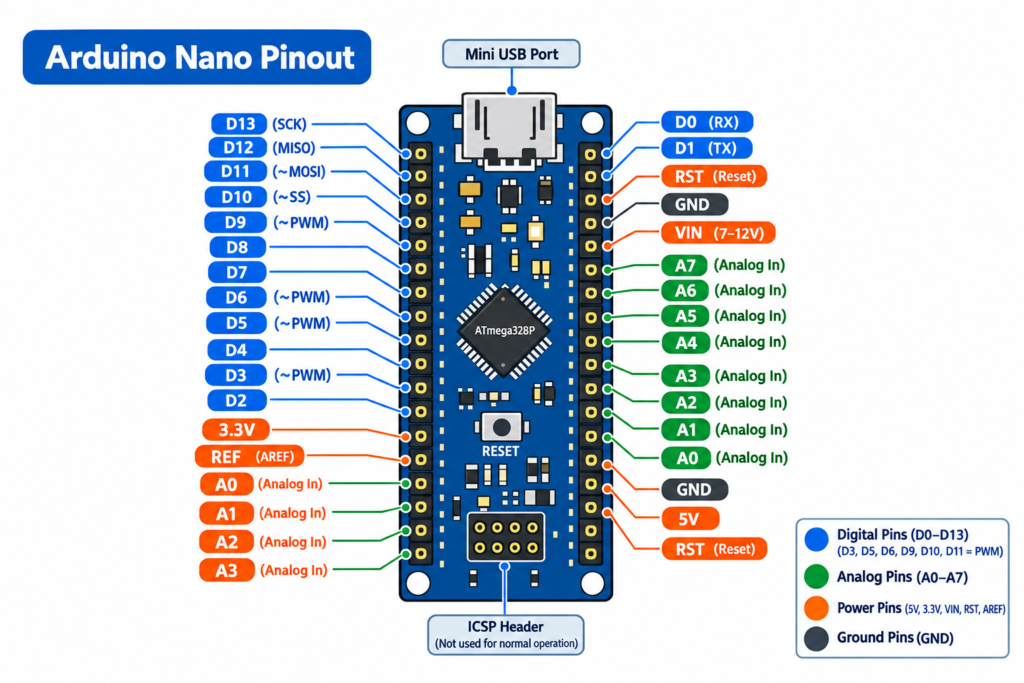
The diagram above shows the Nano’s dual-row pin header layout, common on most Nano boards, with digital pins along one edge and analog/power pins along the other designed to plug directly into a breadboard.
Arduino Nano pinout: full pin table
| Pin | Type | Function |
|---|---|---|
| D0 (RX) | Digital | Serial receive UART communication |
| D1 (TX) | Digital | Serial transmit UART communication |
| D2 | Digital | General I/O, external interrupt |
| D3 | Digital (PWM) | General I/O, PWM output |
| D4 | Digital | General I/O |
| D5 | Digital (PWM) | General I/O, PWM output |
| D6 | Digital (PWM) | General I/O, PWM output |
| D7 | Digital | General I/O |
| D8 | Digital | General I/O |
| D9 | Digital (PWM) | General I/O, PWM output |
| D10 | Digital (PWM) | General I/O, PWM output, SPI (SS) |
| D11 | Digital (PWM) | General I/O, PWM output, SPI (MOSI) |
| D12 | Digital | General I/O, SPI (MISO) |
| D13 | Digital | General I/O, SPI (SCK), connected to onboard LED |
| A0–A5 | Analog Input | Read analog voltage (0–5V), can act as digital pins |
| A6, A7 | Analog Input only | Analog-only cannot be used as digital pins (Nano exclusive) |
| 5V | Power | Regulated 5V output |
| 3.3V | Power | Regulated 3.3V output |
| VIN | Power | Input voltage (7–12V) when not using USB |
| GND (×2) | Power | Ground reference |
| RESET | Control | Resets the microcontroller when pulled LOW |
| AREF | Reference | External reference voltage for analog pins |
| SDA / SCL | Communication | I2C data and clock (shared with A4/A5) |
Arduino Nano vs Arduino Uno: pinout differences
| Feature | Arduino Uno | Arduino Nano |
|---|---|---|
| Microcontroller | ATmega328P | ATmega328P (same) |
| Digital I/O pins | 14 | 14 |
| Analog input pins | 6 (A0–A5) | 8 (A0–A7) |
| Board size | ~68.6mm x 53.4mm | ~45mm x 18mm |
| Power input | USB or barrel jack | USB (Mini/Micro) or VIN pin |
| Breadboard-friendly | No (needs jumper wires) | Yes (plugs directly in) |
| Best for | Beginners, general desktop projects | Compact/portable, breadboard-based projects |
Because the Nano and Uno share the same microcontroller, code written for one runs on the other without changes the only real differences are physical size, power input method, and the two extra analog pins on the Nano.
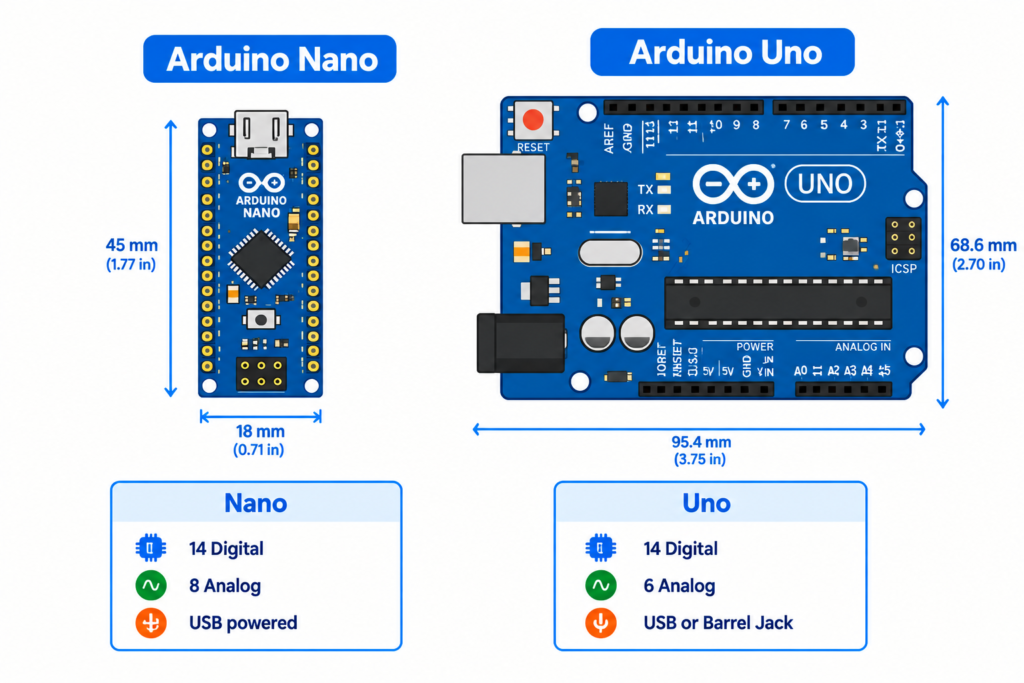
Why does the Nano have two extra analog pins?
The Uno’s ATmega328P chip physically has 8 analog input channels available, but the Uno’s board layout only exposes 6 of them as usable pins (A0–A5). The Nano’s smaller, denser pin header design breaks out all 8 channels, exposing A6 and A7 as additional analog-only inputs. These two pins cannot be used as digital I/O they only read analog voltage, unlike A0–A5 which can do both.
Powering the Arduino Nano
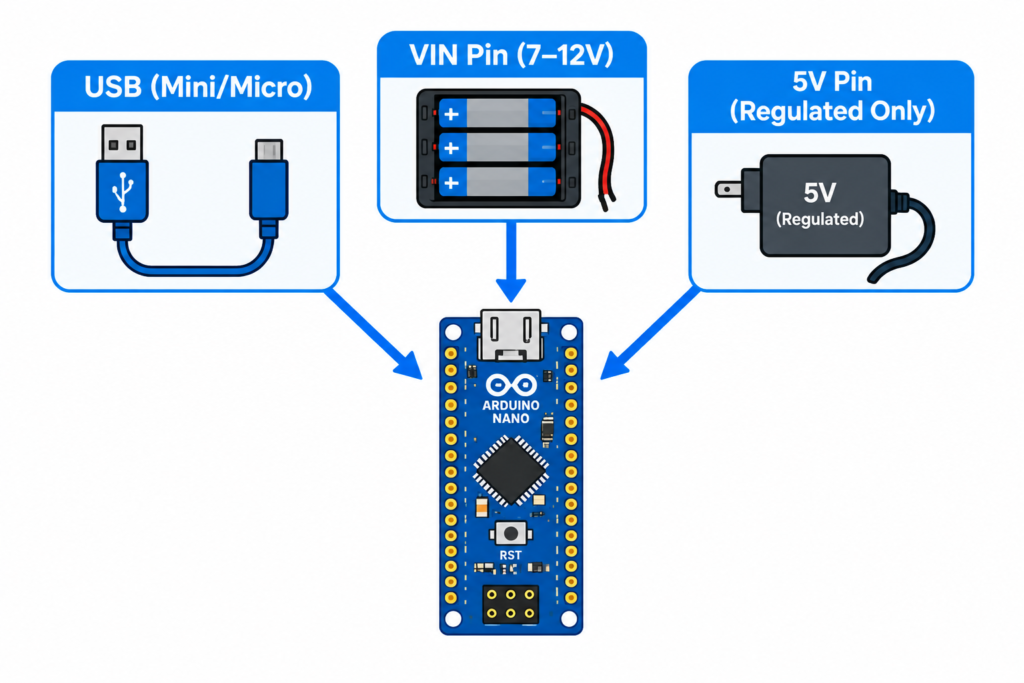
Since the Nano has no barrel jack, it can be powered three ways:
- USB (Mini-B or Micro-USB, depending on version) most common for prototyping and programming.
- VIN pin accepts 7–12V from an external power source (battery pack, adapter).
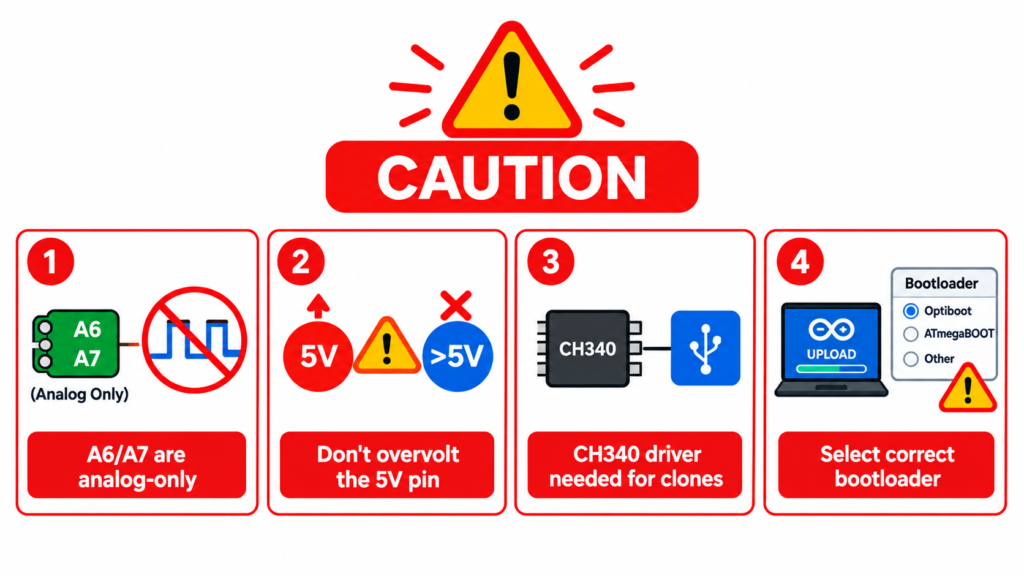
- 5V pin directly only for regulated 5V sources; bypasses the onboard voltage regulator, so it must be exactly 5V or the board can be damaged.
Common Nano pinout mistakes to avoid
- Confusing A6/A7 with digital-capable pins they are analog-input only and will not work as
digitalWrite()ordigitalRead()pins in code. - Feeding unregulated voltage into the 5V pin always use VIN for anything above 5V, since the 5V pin skips the onboard regulator.
- Using a Nano clone with a different USB chip many Nano clones use a CH340 chip instead of the original FTDI chip, requiring a separate driver install on Windows.
- Forgetting the Old Bootloader setting some Nano clones need “Arduino Nano (Old Bootloader)” selected in the IDE’s board menu, or uploads will fail with a timeout error.
Frequently asked questions
How many pins does Arduino Nano have?
Arduino Nano has 22 usable pins: 14 digital I/O pins (D0–D13) and 8 analog input pins (A0–A7), along with power and communication pins.
What is the difference between Arduino Nano and Arduino Uno pinout?
Both use the same ATmega328P microcontroller and have 14 digital pins, but the Nano exposes 8 analog pins (A0–A7) compared to the Uno’s 6 (A0–A5), and the Nano is powered via USB/VIN instead of a barrel jack.
Can A6 and A7 on Arduino Nano be used as digital pins?
No. A6 and A7 are analog-input only pins on the Arduino Nano and cannot be used for digital input/output.
Does Arduino Nano use the same code as Arduino Uno?
Yes. Since both boards share the same ATmega328P microcontroller, sketches written for the Uno run on the Nano without modification, aside from selecting the correct board in the IDE.
Why won’t my Arduino Nano upload code?
The most common cause is selecting the wrong bootloader setting in the IDE (try “Old Bootloader” for clone boards) or a missing CH340 USB driver, which many Nano clones require on Windows.