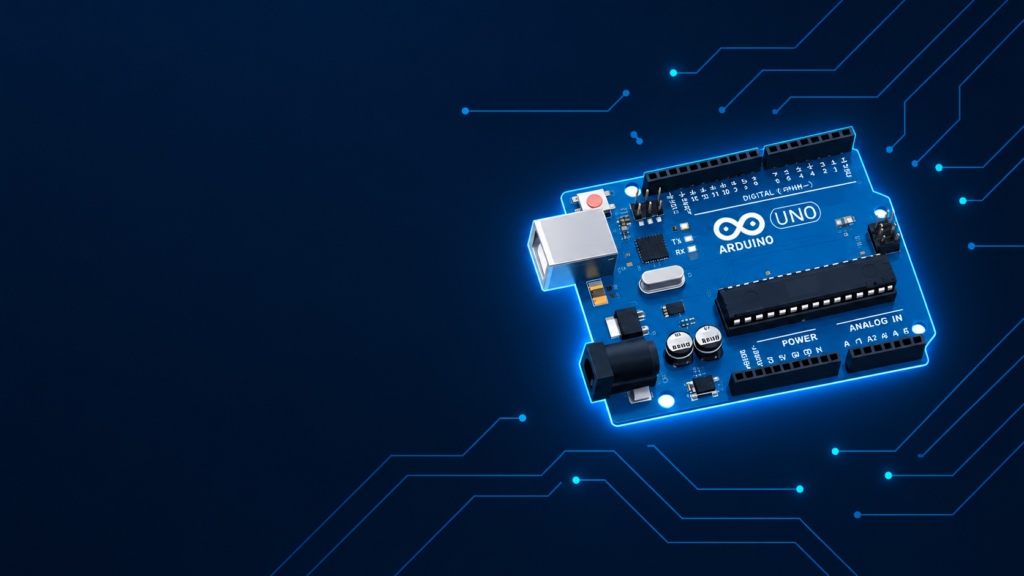
Arduino is an open-source electronics platform made up of a physical circuit board (a microcontroller) and free software (the Arduino IDE) that lets you write code and upload it to the board to control lights, motors, sensors, and other electronic parts. It’s the most widely used starting point for students, hobbyists, and engineers learning embedded systems, robotics, and IoT.
Key takeaways
- Arduino = hardware board + software (IDE) + programming language (based on C/C++).
- “Arduino Uno” is the most popular board in the Arduino family “Uno” means “one” in Italian, marking it as board #1.
- There are many Arduino board types (Uno, Nano, Mega, Leonardo, Pro Mini, and more), each suited to different project sizes and needs.
- Arduino is used in robotics, home automation, IoT, sensor projects, and college lab work (BCA, BE Computer, BE Civil electronics courses).
- No prior electronics degree is needed to start it’s designed to be beginner-friendly.
What does Arduino mean?
The name “Arduino” comes from a bar in Ivrea, Italy, called Bar di Re Arduino, where the platform’s founders used to meet. It has no technical meaning it’s simply the project’s name, chosen in 2005 by its Italian creators (Massimo Banzi and team) when they built the first board for design students who needed an easy, affordable way to control electronics without deep engineering knowledge.
Today “Arduino” refers to three things together:
- The hardware: the circuit board itself (the “Arduino board”).
- The software: the Arduino IDE (Integrated Development Environment) used to write and upload code.
- The community/ecosystem: thousands of free tutorials, libraries, and project guides.
What is Arduino Uno?
Arduino Uno is the standard, most beginner-friendly board in the Arduino family. “Uno” is Italian for “one,” symbolizing it as the first stable, widely adopted version of the platform (released in 2010).
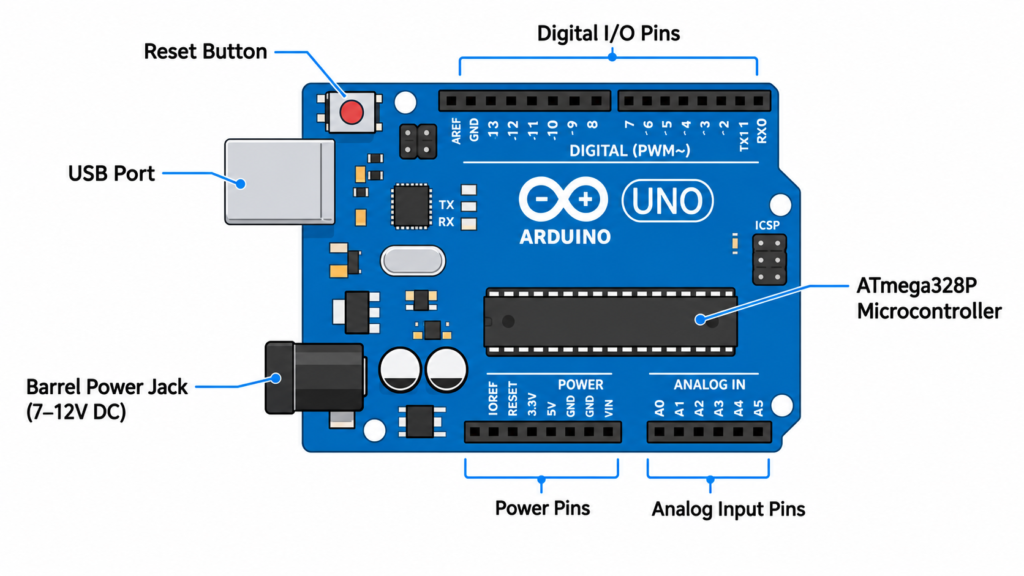
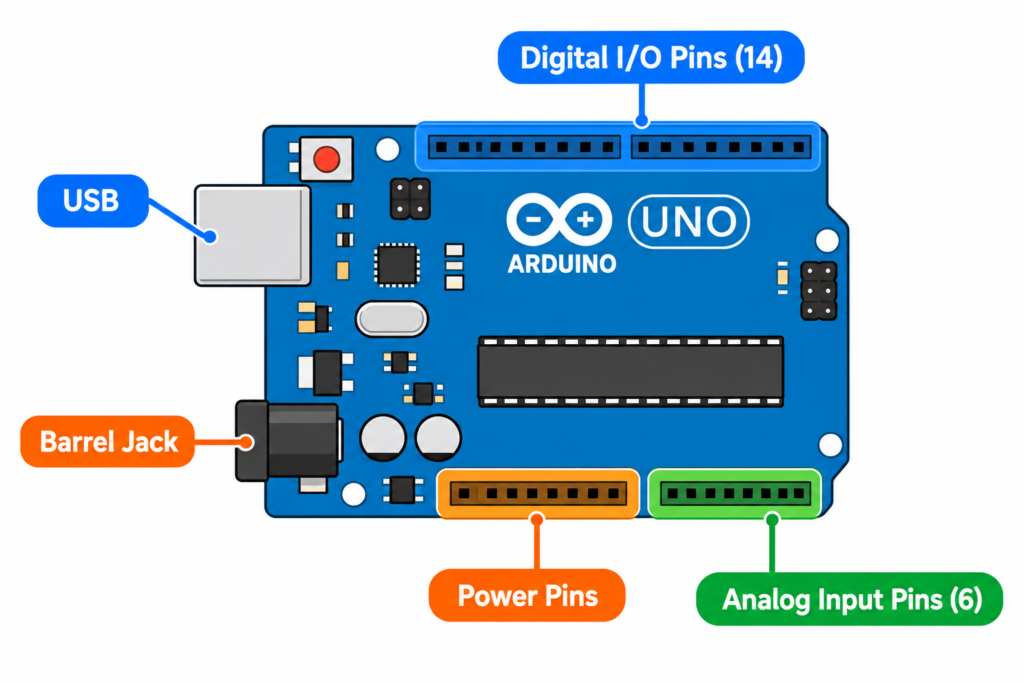
The Uno is built around an ATmega328P microcontroller and includes:
- 14 digital input/output pins (6 support PWM output)
- 6 analog input pins
- A USB port for programming and power
- A barrel jack for external power (7–12V)
- A reset button
Because of its balance of enough pins, low cost, and huge community support, Arduino Uno is the board most tutorials, courses, and college labs use as the default starting point.
How does Arduino work?
At a basic level, Arduino works in three steps:
- Write code in the Arduino IDE using a simplified version of C/C++. A basic program is called a “sketch.”
- Upload the code to the board via USB. The board’s microcontroller stores and runs this code.
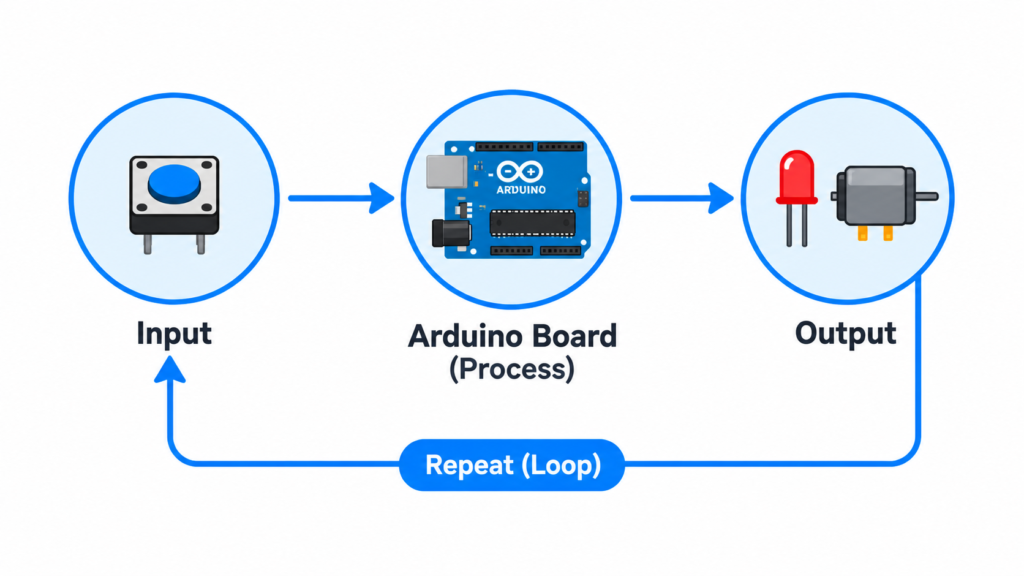
- The board executes the code, reading input from sensors/buttons and controlling output devices like LEDs, motors, or displays repeating the logic continuously (“loop”).
This cycle (read input → process → control output) is the foundation of almost every Arduino project, from a blinking LED to a full home automation system.
Types of Arduino boards
Arduino isn’t a single product it’s a family of boards, each designed for different project needs.
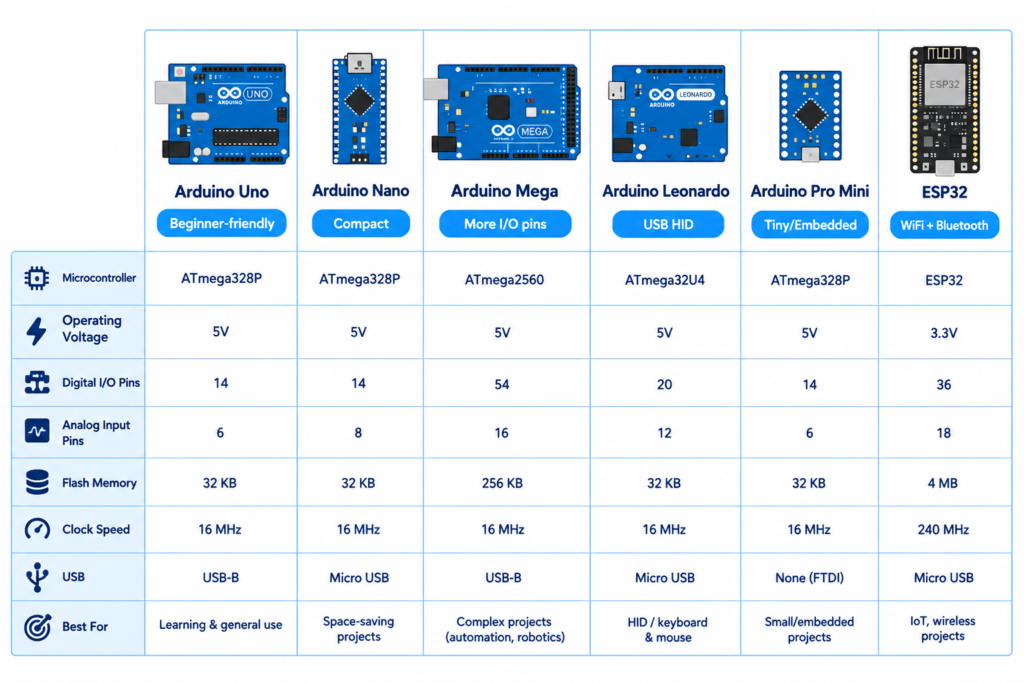
| Board | Best for | Key feature |
|---|---|---|
| Arduino Uno | Beginners, general projects | Balanced pins, huge community, lowest learning curve |
| Arduino Nano | Compact/breadboard projects | Same power as Uno, much smaller size |
| Arduino Mega | Complex projects needing many I/O pins | 54 digital pins, more memory |
| Arduino Leonardo | Projects needing USB HID (keyboard/mouse emulation) | Built-in USB communication |
| Arduino Pro Mini | Permanent/embedded builds | Very small, no onboard USB (needs external programmer) |
| ESP32 (Arduino-compatible) | WiFi/Bluetooth/IoT projects | Built-in wireless connectivity |
Choosing a board depends on your project’s size constraints, pin count needs, and whether you need wireless features.
What is Arduino used for?
Arduino is used across a wide range of real-world and educational applications:
- Robotics: line-following robots, obstacle-avoiding robots, robotic arms
- Home automation: smart lighting, temperature control, automated irrigation
- IoT (Internet of Things): WiFi-connected sensors, remote monitoring dashboards
- Wearables: small, low-power devices using boards like the Pro Mini
- Student lab projects: microcontroller-based experiments for BCA, BE Computer, and BE Civil courses (sensor interfacing, motor control, display projects)
- Prototyping: quickly testing hardware ideas before building custom circuit boards
Is Arduino good for beginners?
Yes. Arduino was specifically designed for people without a strong electronics or programming background. The IDE is free, the coding language is simplified, thousands of free tutorials exist online (including simulators like Tinkercad and Wokwi to practice without buying hardware first), and the Uno board is inexpensive enough to experiment with safely.
Frequently asked questions
What is the difference between Arduino and Arduino Uno?
“Arduino” refers to the whole open-source platform (boards + software + ecosystem). “Arduino Uno” is one specific board within that platform the most commonly used one for beginners.
Is Arduino a programming language?
Not exactly. Arduino uses a simplified version of C/C++ called “Arduino language,” run through the Arduino IDE. It’s a framework built on top of C/C++, not a separate language.
What is Arduino IDE?
The Arduino IDE (Integrated Development Environment) is the free software used to write, verify, and upload code (“sketches”) to Arduino boards. It’s available for Windows, Mac, and Linux, plus an online/cloud version.
Can I use Arduino without buying hardware?
Yes simulators like Tinkercad Circuits and Wokwi let you build and test Arduino projects virtually in a browser before buying any physical components.
Which Arduino board should a beginner buy first?
Arduino Uno is the recommended first board due to its balance of features, low cost, and the largest amount of beginner tutorials and community support.