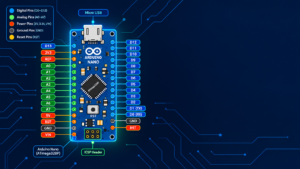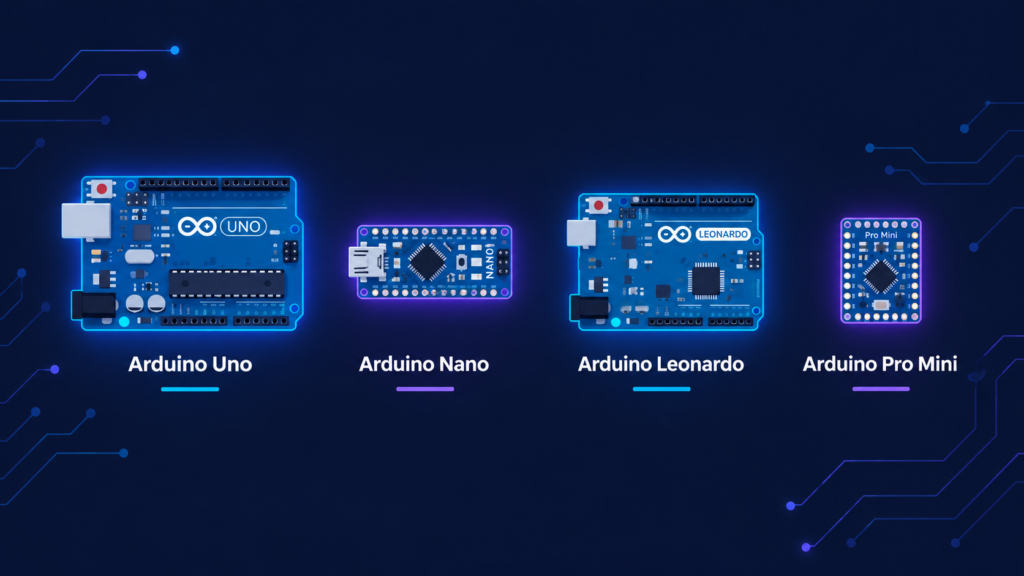
Arduino Uno, Nano, Leonardo, and Pro Mini are all beginner-to-intermediate boards suited for different project needs: Uno is the best all-around choice for beginners and general desktop projects, Nano offers the same power in a breadboard-friendly compact size, Leonardo is best when a project needs to emulate a USB keyboard or mouse, and Pro Mini is the smallest and cheapest option for permanent, space-constrained builds that don’t need onboard USB. Choosing between them comes down to board size, USB requirements, and whether the project is a one-time prototype or a permanent installation.
Key takeaways
- Uno R3 and Uno R4 use different microcontrollers (ATmega328P vs. a 32-bit Renesas RA4M1), making the R4 significantly faster and more capable, but also pricier.
- Leonardo’s ATmega32u4 chip has built-in USB support, letting it act as a keyboard/mouse something Uno and Nano cannot do natively.
- Pro Mini has no onboard USB port at all it requires an external USB-to-serial adapter (like an FTDI board) to upload code.
- All four boards can be programmed with the same Arduino IDE and mostly compatible C/C++ code, with minor library differences for USB HID features.
Quick comparison table
| Board | Microcontroller | Digital Pins | Analog Pins | USB Onboard | Best For |
|---|---|---|---|---|---|
| Arduino Uno R3 | ATmega328P (8-bit) | 14 | 6 | Yes (Type-B) | Beginners, general projects |
| Arduino Uno R4 | Renesas RA4M1 (32-bit) | 14 | 6 | Yes (Type-C) | Faster processing, more memory, WiFi (R4 WiFi variant) |
| Arduino Nano | ATmega328P (8-bit) | 14 | 8 | Yes (Mini/Micro) | Breadboard/compact projects |
| Arduino Leonardo | ATmega32u4 (8-bit) | 20 | 12 | Yes (Micro, native USB) | USB keyboard/mouse emulation, MIDI devices |
| Arduino Pro Mini | ATmega328P (8-bit) | 14 | 6 | No (needs FTDI adapter) | Permanent, space-constrained builds |
Arduino Uno R3 vs Uno R4: what changed?
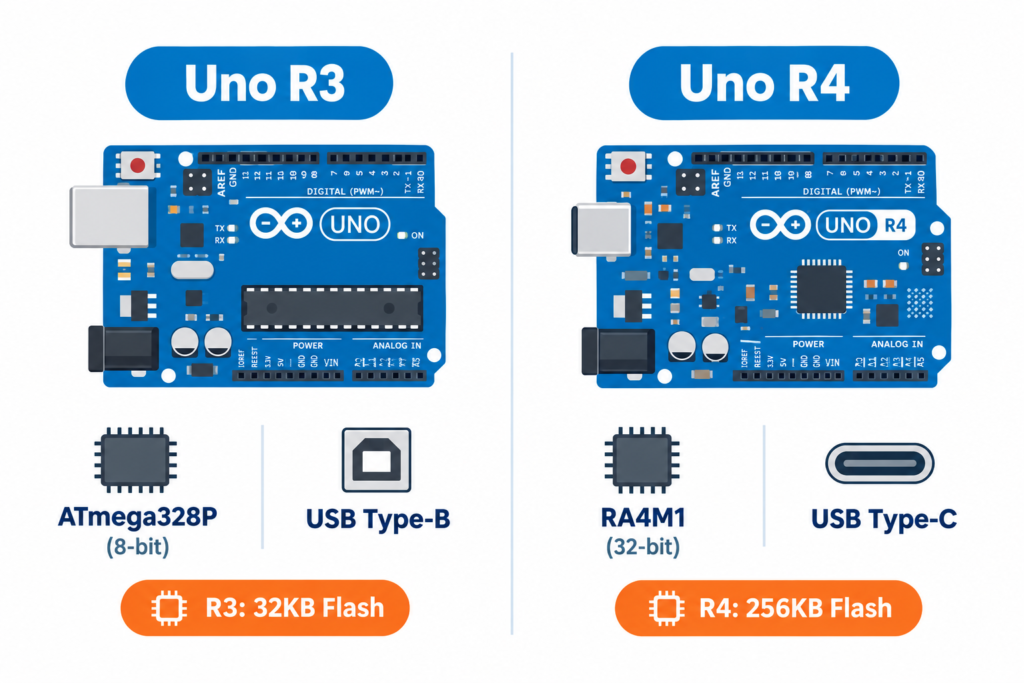
The Uno R4 (released 2023) is the first major architecture change to the Uno line since its original release:
| Spec | Uno R3 | Uno R4 |
|---|---|---|
| Processor | 8-bit ATmega328P, 16MHz | 32-bit Renesas RA4M1, 48MHz |
| Flash memory | 32KB | 256KB |
| RAM | 2KB | 32KB |
| USB connector | Type-B | Type-C |
| Operating voltage logic | 5V | 5V (mostly compatible with existing shields) |
| Built-in extras | None | R4 Minima: none extra. R4 WiFi: onboard WiFi, 12×8 LED matrix, RTC |
For most beginner tutorials and simple projects, R3 remains perfectly adequate and cheaper. The R4 is worth the extra cost when a project needs more memory (larger sketches, more variables), faster processing (complex sensor math, display rendering), or built-in WiFi (R4 WiFi variant only).
Arduino Leonardo: what makes it different?
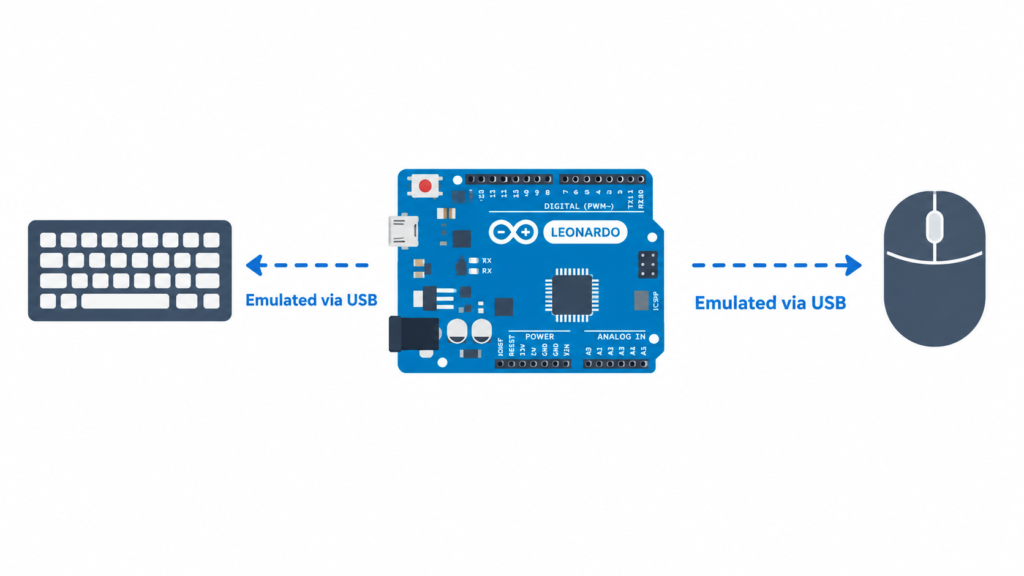
The Leonardo uses an ATmega32u4 chip with native USB support built directly into the microcontroller (unlike Uno/Nano, which use a separate chip just to talk to USB). This lets the Leonardo:
- Act as a USB keyboard or mouse using the
Keyboard.handMouse.hlibraries useful for custom macro keypads, accessibility devices, or auto-typing tools - Function as a MIDI device for music controllers
- Provide more digital pins (20) and analog pins (12) than the standard Uno
The trade-off: Leonardo’s bootloader behaves slightly differently during upload (it resets automatically when serial connection opens), which occasionally trips up beginners expecting Uno-style upload behavior.
Arduino Pro Mini: the compact, no-USB option
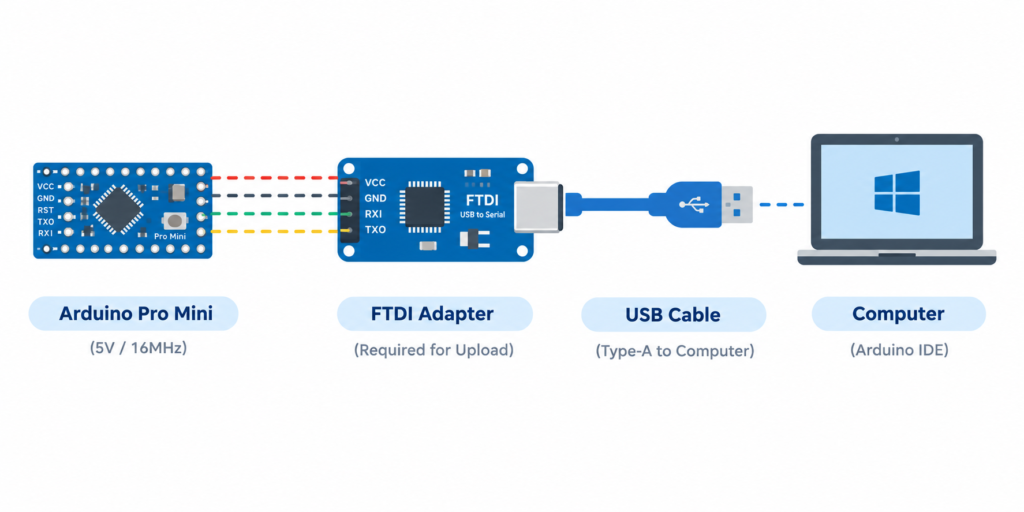
The Pro Mini strips away everything not essential to save space and cost:
- No onboard USB programming requires an external USB-to-serial adapter (commonly an FTDI FT232 board) connected temporarily during upload
- No barrel jack power comes through the VCC/GND pins only (available in 3.3V/8MHz or 5V/16MHz versions check which you have before wiring, as they are not interchangeable)
- Smallest and cheapest of the four boards, making it ideal for projects that get built once and left permanently inside an enclosure (wearables, embedded sensors, permanent installations)
Because there’s no USB chip taking up space, the Pro Mini is the thinnest board in the Arduino family but this also means you need to buy or already own an FTDI adapter before you can program it at all.
Which board should you choose? (decision guide)
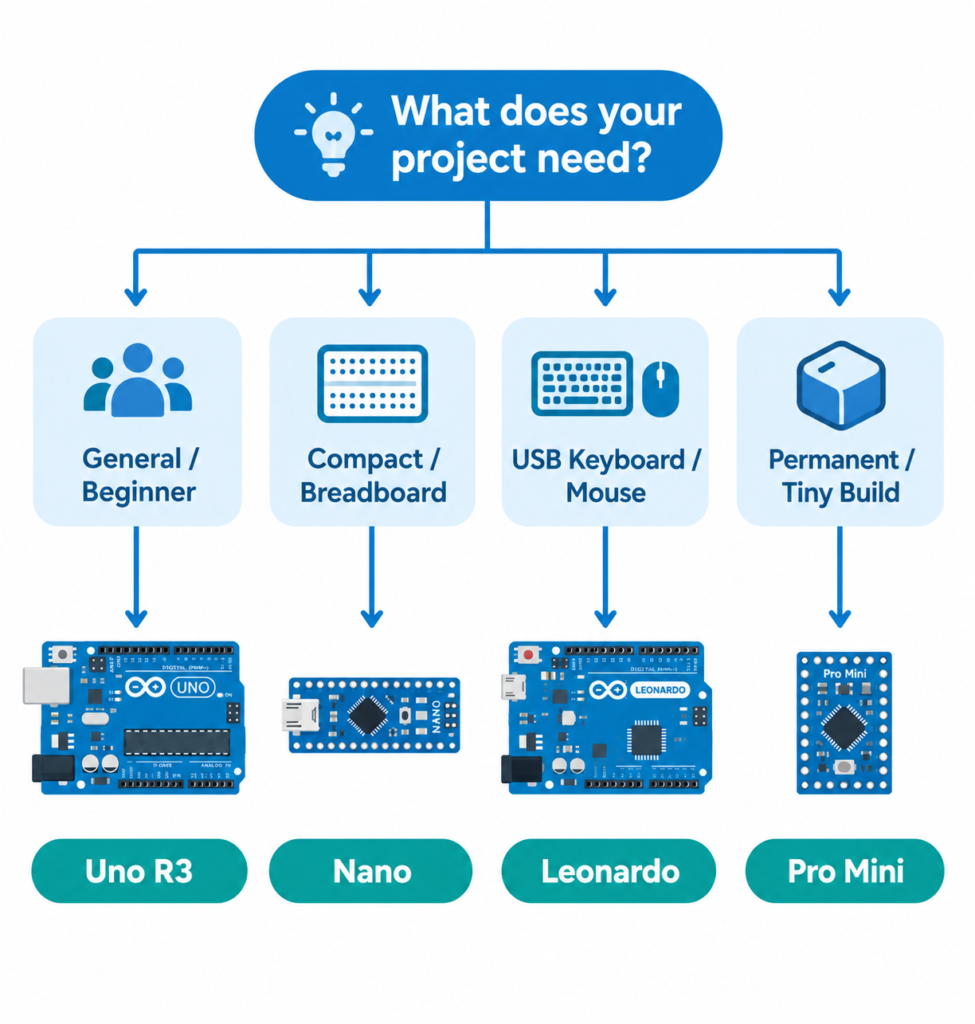
- Choose Uno R3 if you’re a beginner, following most online tutorials (which default to Uno), or doing general-purpose desktop projects and student lab work.
- Choose Uno R4 if your project needs more memory/speed than R3 offers, or you want the R4 WiFi variant’s built-in wireless and LED matrix without adding external modules.
- Choose Nano if board size matters and you’re prototyping on a breadboard functionally identical to Uno R3 in a much smaller footprint.
- Choose Leonardo if your project specifically needs USB keyboard/mouse emulation or MIDI this is the deciding factor, not general performance.
- Choose Pro Mini if you’re building a final, permanent version of a project where size and cost matter more than convenience, and you already have (or are willing to buy) an FTDI programmer.
Common mistakes when choosing a board
- Buying Pro Mini without an FTDI adapter it cannot be programmed at all without one; factor this extra cost/purchase in before ordering.
- Assuming Uno R3 and R4 shields are 100% interchangeable most 5V shields work on both, but some older shields assuming strictly 5V logic on all pins can behave unexpectedly on R4’s different pin driver architecture; check compatibility notes for sensitive shields.
- Picking Leonardo for a beginner tutorial: most beginner guides are written for Uno; Leonardo’s different USB reset behavior can cause confusing upload errors for first-time users following Uno-based instructions.
- Mixing up Pro Mini voltage variants: the 3.3V/8MHz and 5V/16MHz versions are not interchangeable; connecting 5V logic to a 3.3V Pro Mini can damage it.
Frequently asked questions
What is the difference between Arduino Uno R3 and R4?
The Uno R4 uses a faster 32-bit Renesas processor with far more flash memory and RAM than the R3’s 8-bit ATmega328P, plus a USB-C port; the R4 WiFi variant additionally adds built-in WiFi and an LED matrix.
Can Arduino Leonardo act as a keyboard or mouse?
Yes. The Leonardo’s ATmega32u4 chip has native USB support, allowing it to emulate a USB keyboard or mouse using the built-in Keyboard.h and Mouse.h libraries something Uno and Nano cannot do without additional hardware.
Does Arduino Pro Mini need a separate programmer?
Yes. The Pro Mini has no onboard USB port, so it requires an external USB-to-serial adapter such as an FTDI FT232 board to upload code from a computer.
Is Arduino Nano the same as Arduino Uno?
Functionally, yes both use the same ATmega328P microcontroller and run identical code. The Nano is simply smaller, breadboard-friendly, and has two additional analog-only pins (A6, A7).
Which Arduino board is best for beginners?
Arduino Uno R3 is generally recommended for beginners due to the largest amount of tutorials, broad shield compatibility, and lowest chance of encountering board-specific quirks.