An Arduino simulator is a browser-based tool that lets you build virtual circuits and test Arduino code without owning physical hardware. The two most widely used are Tinkercad Circuits, best for visual, beginner-friendly circuit building with drag-and-drop components, and Wokwi, best for more advanced projects involving ESP32, sensors, and real-time serial debugging. Both are free to use with a browser account, run the same C/C++-based Arduino code as physical boards, and are commonly used by students to test projects before buying components or when hardware isn’t available.
Key takeaways
- Tinkercad Circuits is best for beginners simple drag-and-drop wiring, visual breadboard layout.
- Wokwi is best for advanced/IoT projects supports ESP32, WiFi simulation, and more sensor types.
- Both simulators run real Arduino code (the same sketches you’d upload to physical hardware).
- Neither simulator perfectly replicates real-world timing, electrical noise, or component tolerances always test critical projects on real hardware before finalizing.
- Arduino also offers an official Cloud Editor (IDE online), but it is a code editor with library/board management, not a circuit simulator.
Why use an Arduino simulator?
- No hardware cost: test ideas before buying boards, sensors, or modules.
- Faster iteration: change a wiring mistake instantly instead of re-wiring a breadboard.
- Safer for beginners: a wrong virtual connection won’t damage anything, unlike a real short circuit.
- Good for remote/classroom learning: students without access to a lab kit can still complete assignments.
- Shareable: most simulators let you share a project link so a teacher or teammate can view/edit the same circuit.
Tinkercad Circuits: overview
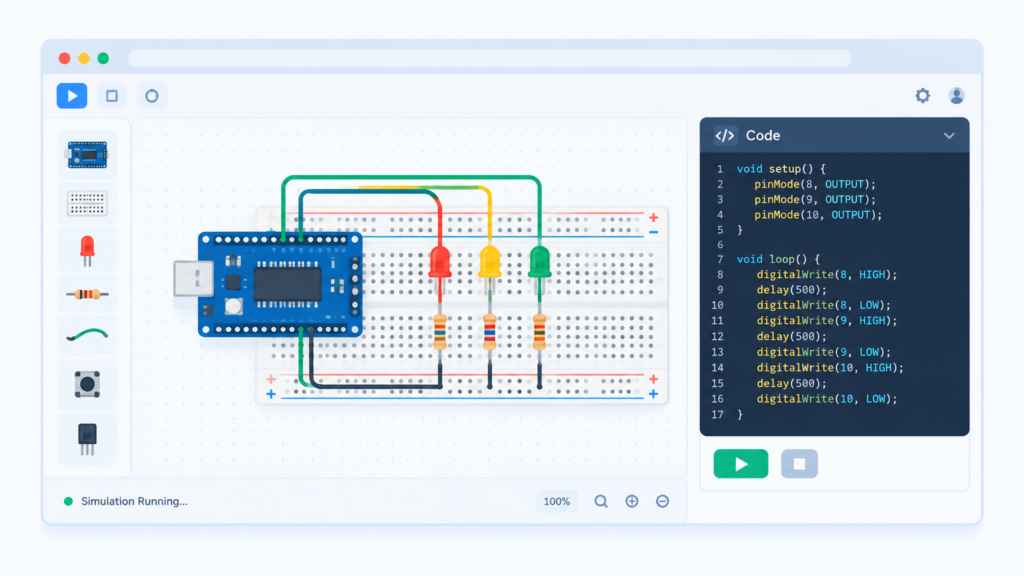
Tinkercad Circuits (by Autodesk) is a free, browser-based tool combining a visual breadboard editor with a block-based or text-based code editor for Arduino.
Strengths:
- Extremely beginner-friendly drag-and-drop breadboard interface
- Visual component library (LEDs, resistors, servos, sensors, LCDs) with realistic wiring
- Built-in code editor supports both block-based coding (for absolute beginners) and standard C/C++ Arduino code
- Simulates voltage, current, and basic component behavior will visually show a burnt-out LED if wired wrong
- Free Autodesk account required, widely used in schools
Limitations:
- No support for ESP32/ESP8266 or WiFi-based projects
- Limited component library compared to Wokwi (fewer sensor/module types)
- Simulation speed can lag with complex circuits
Wokwi: overview
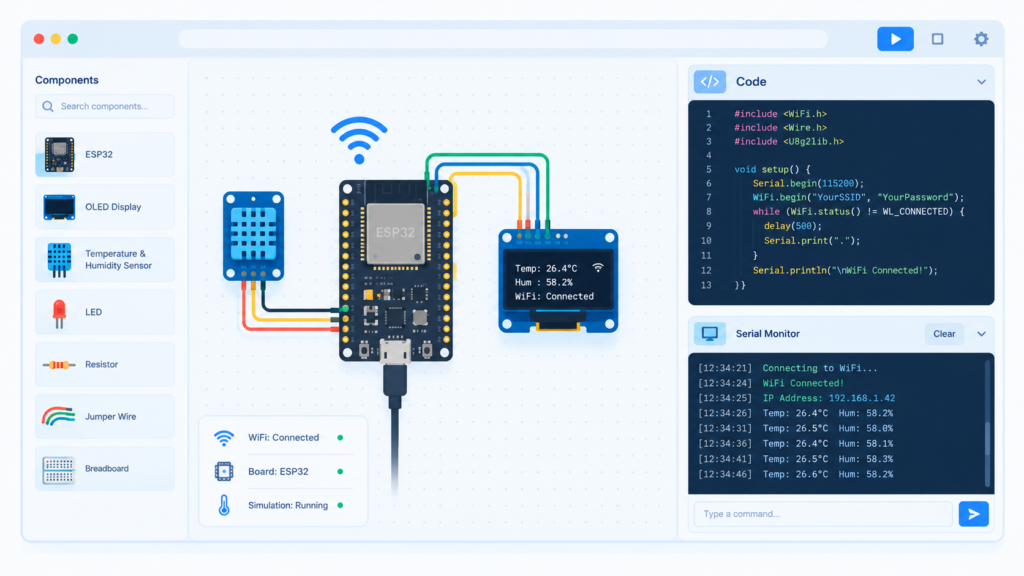
Wokwi is a newer, more advanced browser-based simulator built specifically with IoT and microcontroller projects in mind, supporting a wider range of boards and real-time serial monitor output.
Strengths:
- Supports ESP32, ESP8266, Raspberry Pi Pico, and other boards beyond basic Arduino
- Simulates WiFi and Bluetooth functionality useful for IoT projects that Tinkercad cannot simulate at all
- Larger, more technical component library (OLED displays, real-time clocks, various sensors)
- Direct code editor with real-time serial monitor output, closely matching the real Arduino IDE experience
- VS Code extension available for offline-style development with cloud simulation
Limitations:
- Steeper learning curve than Tinkercad less visual hand-holding for absolute beginners
- Some advanced features (private projects, team libraries) require a paid plan
- Visual breadboard styling is less polished/realistic than Tinkercad’s
Tinkercad vs Wokwi vs Arduino Cloud Editor: comparison table
| Feature | Tinkercad Circuits | Wokwi | Arduino Cloud Editor |
|---|---|---|---|
| Type | Circuit simulator | Circuit simulator | Online code editor only |
| Best for | Absolute beginners | ESP32/IoT & advanced projects | Writing/managing code (no circuit simulation) |
| Visual breadboard | Yes (polished) | Yes (functional) | No |
| ESP32/WiFi support | No | Yes | Depends on connected board |
| Code language | Block-based or C/C++ | C/C++ | C/C++ |
| Serial monitor | Basic | Full, real-time | Full, real-time |
| Cost | Free | Free (paid tier for extras) | Free |
| Account required | Yes (Autodesk) | Yes (free) | Yes (Arduino account) |
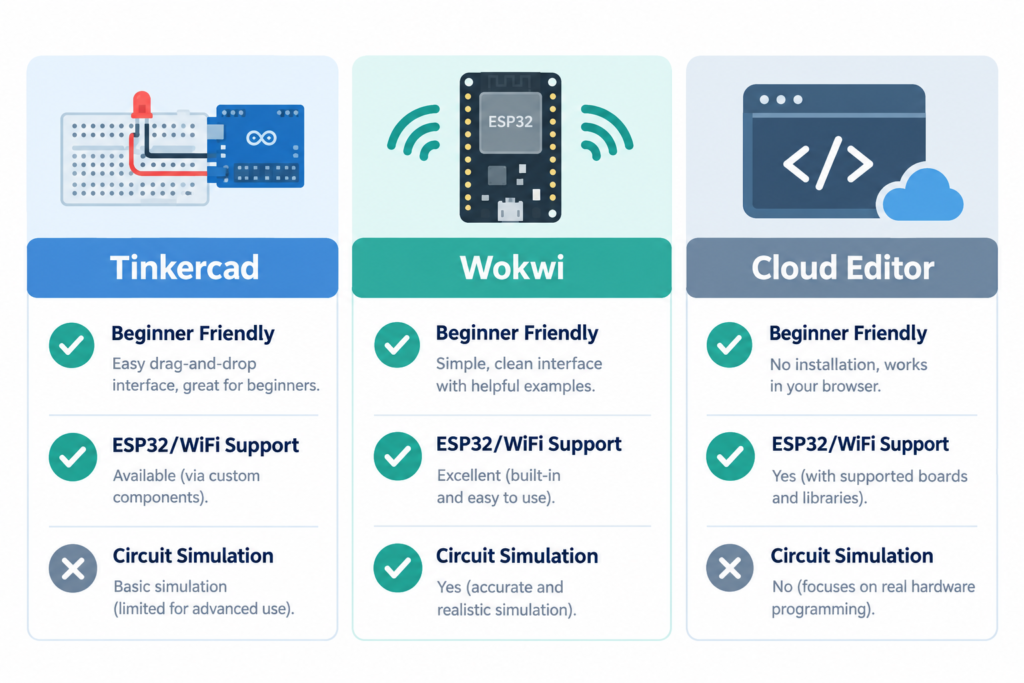
Which simulator should you choose?
- Choose Tinkercad if you’re a complete beginner, a student doing a basic lab assignment (LED, button, servo, simple sensor circuits), or teaching a class where visual clarity matters most.
- Choose Wokwi if your project involves ESP32, WiFi, Bluetooth, or IoT dashboards, or you want a closer match to real-world serial debugging before buying hardware.
- Use Arduino Cloud Editor if you just want to write and organize code online (with cloud-saved sketches and library management) and already have physical hardware to test on it does not simulate circuits at all.
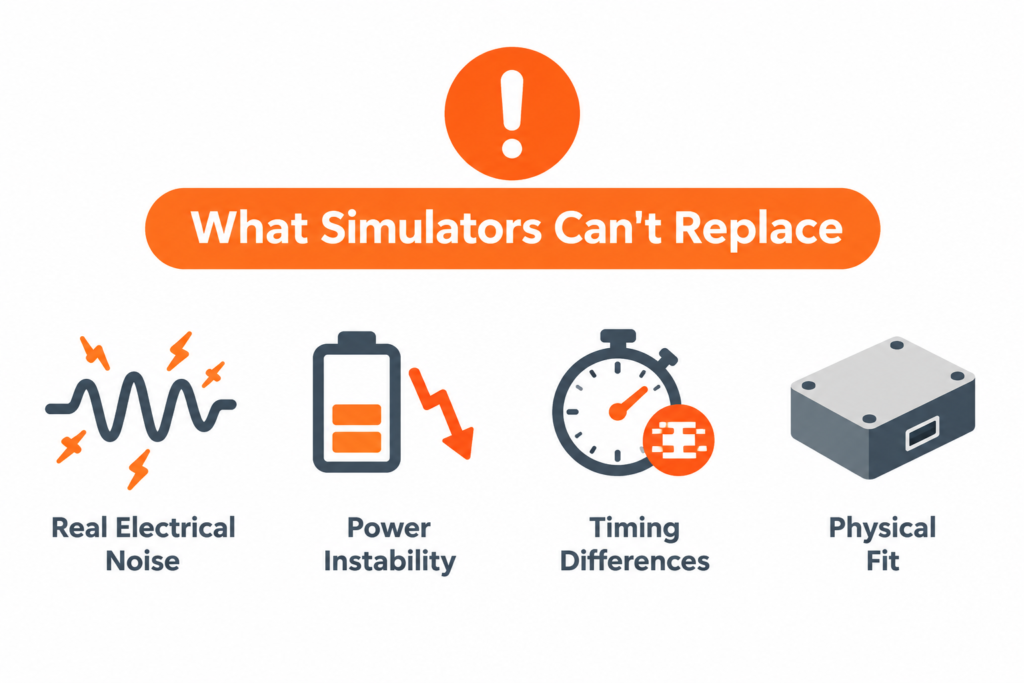
Limitations of simulators (what they can’t replace)
No simulator perfectly replaces physical hardware. Things simulators typically get wrong or skip entirely:
- Real electrical noise and component tolerance a resistor rated 220Ω can vary ±5% in real life; simulators assume perfect values.
- Power supply instability brownouts, voltage drops under load, and battery discharge behavior aren’t modeled realistically.
- Timing-sensitive projects some libraries and sensors behave slightly differently in real timing conditions vs. simulated ones.
- Mechanical/physical constraints enclosure fit, wire length, vibration, and heat aren’t part of any simulation.
For coursework and idea validation, simulators are excellent. For a final project or anything safety-critical, always confirm behavior on real hardware.
Frequently asked questions
Is Tinkercad free for Arduino simulation?
Yes, Tinkercad Circuits is completely free with a registered Autodesk account, including unlimited circuit simulations and code editing.
Can Wokwi simulate ESP32 and WiFi projects?
Yes. Wokwi is one of the few free browser simulators that supports ESP32/ESP8266 boards with simulated WiFi and Bluetooth behavior, which Tinkercad does not support.
Does code written in a simulator work on real Arduino hardware?
Yes, in most cases. Both Tinkercad and Wokwi use standard Arduino C/C++ code, so a sketch that works in simulation will typically upload and run correctly on real hardware, though sensor timing and readings may vary slightly.
What is the difference between Arduino IDE online and a simulator?
Arduino IDE online (Cloud Editor) is only a code editor with cloud storage and library management it does not simulate circuits. A simulator like Tinkercad or Wokwi additionally models the virtual breadboard, components, and electrical behavior.
Which is better for beginners, Tinkercad or Wokwi?
Tinkercad is generally better for absolute beginners due to its simpler, more visual interface, while Wokwi is better suited for students moving into more advanced ESP32/IoT projects.